

Is the ASUS TUF A15 still worth buying in 2026, or is it just another gaming laptop under $1000? If you are looking for a powerful but affordable laptop for competitive gaming, this model is probably on your list. But does it still give high FPS in modern games? Does it stay cool during long gaming sessions? And is there a better option at this price? In this review, we will test real gaming performance, cooling, battery life, build quality, and overall value to help you decide if the ASUS TUF A15 is a good buy in 2026 or not.
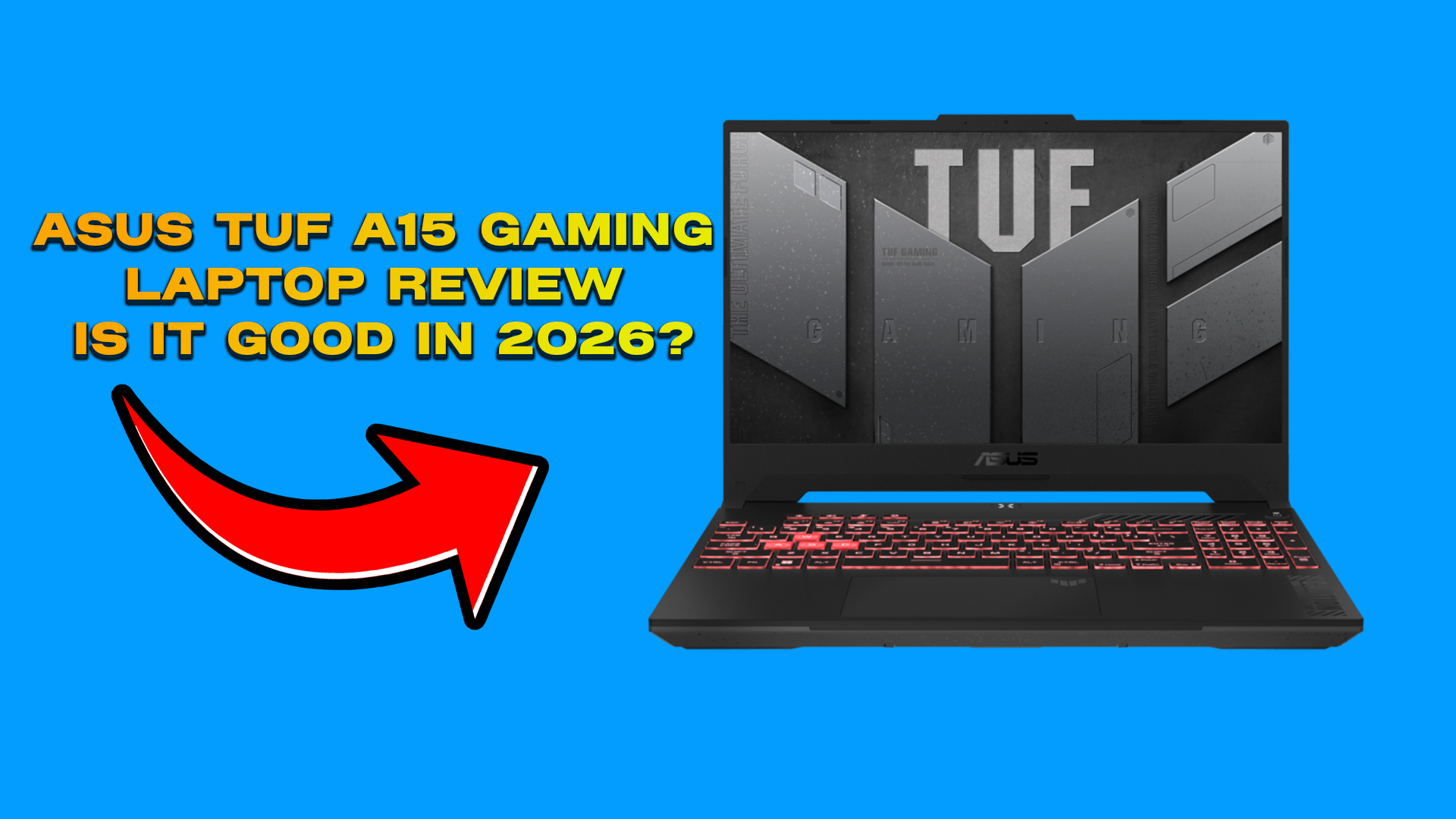
Design & Build Quality:
When I first looked at the ASUS TUF A15, I was surprised at how strong and durable it feels for a gaming laptop under $1000. The body is made of good-quality plastic with extra support inside, so it seems tougher than most budget laptops I’ve seen. This is definitely an advantage because it gives confidence for long-term use. However, it’s not made of metal like expensive premium laptops, so it doesn’t feel as premium as high-end models.
From what I’ve researched and read in user reviews, the A15 is military-tested for toughness. That’s a big plus because it means the laptop can handle small bumps, shakes, and temperature changes better than normal laptops.
In terms of weight and portability, it’s around 2.2–2.3 kg (4.8–5.1 lbs). For a gaming laptop, that’s normal and acceptable, especially considering the cooling system and powerful hardware inside. The advantage is that you get better cooling and performance stability, but the downside is that it’s not very light compared to ultrabooks, so carrying it daily might feel a bit heavy for some users.
Talking about the look and style, the A15 has a clean gamer design with RGB backlit keys , angled edges, textured surfaces, and subtle TUF branding. I like that it looks aggressive but not too flashy that’s a plus for gamers who want style without being over the top.
Display:
The display of the ASUS TUF A15 works well for both competitive gaming and regular use, which is a big advantage for gamers who also use their laptop for daily tasks. The visuals are smooth and the performance feels responsive, which is especially important for fast-paced games. However, like most laptops in this price range, it still has a few limitations.
The laptop has a 15.6-inch screen, which I think is the ideal size for gaming. It gives a good balance between immersion and portability not too big and not too small. The advantage is that it feels immersive while still being easy to carry. The only downside is that users who prefer larger 17-inch screens for a more cinematic experience might find it slightly small.
It comes with Full HD (1920×1080) resolution, which is perfect for this GPU and price category. The visuals look sharp without putting too much pressure on the graphics card, helping maintain better FPS. On the downside, it’s not a 1440p or 4K panel, so it won’t look as detailed as higher-end laptops.
One of the biggest advantages is the 144 Hz refresh rate. This makes gameplay much smoother compared to standard 60 Hz screens. In competitive games like Valorant or CS2, smoother motion can improve reaction time and aiming precision. The only small drawback is that higher refresh rates can slightly reduce battery life when not plugged in.
Brightness and colors are good for indoor use. Games and movies look vibrant, which is great for entertainment. However, it’s not a professional-level color-accurate display, so content creators who do serious photo or video editing may find it limited.
The low response time is another strong advantage because it reduces motion blur and ghosting during fast scenes. This helps keep movements clear in competitive gaming. Still, in extremely fast transitions, some minor blur can occasionally be noticeable which is normal in this category.
Overall, I see the ASUS TUF A15 display as a strong point for gamers. The 144 Hz refresh rate and low response time make gameplay smooth and crisp, with only a few small compromises that are expected at this price range.
CPU:
This laptop usually comes with a powerful AMD Ryzen 7 processor like the Ryzen 7 6800H, which belongs to a recent generation and offers strong performance with good efficiency. That’s a major advantage because you get modern architecture that handles both gaming and productivity smoothly. However, it’s not the absolute top-tier processor like a Ryzen 9, so extreme power users might want something even stronger.
It has 8 cores and 16 threads, which makes it excellent for multitasking. You can easily run games while keeping background apps like Discord, streaming software, or a browser open without major slowdowns. This is a big plus for gamers who stream or multitask. The only small downside is that more cores under heavy load can generate extra heat, especially during long gaming sessions.
The processor also has good base and boost clock speeds, meaning it can speed up when needed and complete tasks quickly. This improves gaming performance, system responsiveness, and overall smoothness. For modern games that rely on strong CPUs for physics, AI, and frame stability, this is a clear advantage. On the other hand, in very CPU-heavy tasks like professional 3D rendering or advanced video production, it may not match high-end desktop processors.
Overall, I see the Ryzen 7 in the ASUS TUF A15 as a strong and balanced choice. It delivers smooth performance for gaming, streaming, and productivity, with only minor limitations that are expected in this price category.
GPU:
This laptop comes with the NVIDIA GeForce RTX 4060 Laptop GPU, which is a modern mid-to-high-range graphics card that fits very well in the under-$1000 category. That’s a big advantage because it delivers strong 1080p gaming performance at a reasonable price. Compared to older GPUs like the RTX 3050 or 3050 Ti, the RTX 4060 provides noticeably higher FPS, especially in competitive games, giving smoother and more responsive gameplay. However, it’s still not as powerful as higher-end GPUs like the RTX 4070 or 4080, so ultra settings in very demanding games may push its limits.
It usually comes with 8 GB GDDR6 VRAM, which is more than enough for modern 1080p gaming. This helps in texture-heavy games and larger maps where lower VRAM cards might struggle. The downside is that for 1440p or future high-texture titles, 8 GB could become slightly limiting over time.
The GPU also supports Ray Tracing, which improves lighting and reflections for a more realistic look. That’s a strong feature at this price point. But enabling ray tracing can reduce FPS in some games. Thankfully, DLSS (Deep Learning Super Sampling) helps balance this by using AI to increase performance while keeping visuals sharp. The only limitation is that not every game supports DLSS.
Overall, I see the RTX 4060 in the ASUS TUF A15 as one of its biggest strengths. It delivers high frame rates, smooth gameplay, and modern features, with only a few expected compromises for very high-end or future-heavy gaming demands.
Memory & Storage:
The laptop comes with 16 GB DDR5 RAM, which is the recommended standard for competitive gaming. That’s a strong advantage because it allows modern games to run smoothly while background apps like Discord, streaming software, or browsers stay active without slowing down the system. The DDR5 RAM is faster than older DDR4, offering better data transfer speeds and higher bandwidth, which helps maintain stable FPS and smooth gameplay when both the CPU and GPU are under heavy load. However, for very heavy professional tasks like advanced video editing or large 3D projects, some users might prefer 32 GB RAM for extra headroom.
For storage, the A15 includes a 512 GB NVMe SSD, which is much faster than traditional SATA drives. This is a big advantage because it provides quick boot times, fast game loading, and smooth file transfers, making the overall system feel very responsive. The only downside is storage capacity while 512 GB is enough for a few modern games, AAA titles today can take up a lot of space, so the drive can fill up quickly. Users who install many large games or store lots of media files may need to upgrade to a 1 TB SSD or use external storage.
Overall, the combination of fast 16 GB DDR5 RAM and NVMe SSD gives the ASUS TUF A15 smooth multitasking, quick loading speeds, and strong gaming performance, with only minor limitations in storage size for heavy users.
Cooling & Thermal Performance:
When it comes to gaming, cooling is extremely important, especially during long sessions where both the CPU and GPU are under heavy load. From what I’ve seen and researched, the ASUS TUF A15 has a strong cooling system that helps keep temperatures under control while maintaining stable performance. It uses a dual-fan setup with multiple heat pipes, which is a big advantage because it pushes hot air out efficiently through rear and side vents. This design helps prevent heat buildup around the keyboard and palm area, making long gaming sessions more comfortable. Under heavy gaming loads like Valorant, CS2, or AAA titles, the CPU usually stays in the mid-70s to low-80s °C range, and the GPU typically remains under 80 °C, which are healthy temperatures for a gaming laptop in this price range. Another advantage is that the cooling system helps reduce thermal throttling, meaning the CPU and GPU can maintain performance without sudden drops in speed. However, like most gaming laptops, the fans can get noticeably loud during intense gaming sessions, and the laptop can feel warm when pushed for long periods. Overall, I see the ASUS TUF A15’s cooling system as reliable and effective for competitive gaming, with the only real compromise being fan noise under heavy load.
Keyboard, Trackpad & Audio:
The keyboard of ASUS TUF A15 offers good key travel and tactile feedback, which is a strong advantage for both typing and gaming. The keys feel responsive and comfortable, especially in fast-paced FPS games where quick and accurate key presses matter. During long gaming sessions, this comfort really helps. However, it may not feel as premium as mechanical keyboards, so serious competitive players might still prefer using an external gaming keyboard.
The laptop also features RGB backlighting (depending on the model, either zoned or customizable). This is great for visibility in low-light environments and adds a proper gaming look. The only downside is that RGB lighting can slightly affect battery life when unplugged, though that’s common in most gaming laptops.
The trackpad is smooth and accurate, which is useful for everyday tasks like browsing or working while traveling. While most gamers will use an external mouse for better precision, having a reliable trackpad is still a plus. The limitation is that it’s not meant for competitive gaming, so serious gameplay will always require a proper mouse.
As for audio quality, the speakers are loud enough and clear for regular gaming and media use. Explosions and in-game sound effects feel decent, and dialogue is easy to understand. That’s an advantage for casual gaming and entertainment. However, the bass is not very deep compared to dedicated speakers or gaming headsets. For competitive gaming, clear directional audio helps you hear footsteps and other important in-game cues, but for the best positional awareness, a good gaming headset would still be the better option.
Overall, I see the keyboard, trackpad, and audio on the ASUS TUF A15 as solid and reliable for its price range, with only small compromises that are expected in a mid-range gaming laptop.
Ports, Connectivity & Battery Life:
The ports and connectivity of ASUS TUF A15 are very gamer-friendly, which is a big advantage. The laptop has multiple USB-A ports, perfect for plugging in a gaming mouse, keyboard, or USB drives, and it also includes USB-C, which is useful for fast data transfer and future-proof connections. There’s an HDMI port for connecting external monitors, TVs, or projectors, and some models even support DisplayPort over USB-C, which is great for multi-monitor setups. For network stability, the A15 comes with an Ethernet port for wired internet and supports Wi-Fi 6 for fast, reliable wireless connections a clear plus for competitive gaming. While not every model has full Thunderbolt support, many configurations offer fast USB-C connections for external SSDs, docking stations, or displays. The only small downside is that some ports may be slightly crowded depending on your setup, so cable management might be needed.
As for battery life, like most gaming laptops, it’s not ultra-long, which is expected. While browsing or watching videos, the TUF A15 can last a few hours depending on settings, but during gaming, battery drains faster because the CPU and GPU consume a lot of power. Expect roughly 1.5–2.5 hours of gaming unplugged typical for performance-focused laptops. On the bright side, it comes with a fast charger that tops up the battery quickly, but the best performance and temperature control always come when gaming while plugged in. The small downside is that relying on battery for gaming isn’t practical for long sessions, so you’ll usually need to stay near a power source.
Overall, I find the ports, connectivity, and battery life on the ASUS TUF A15 solid and well-balanced for gamers. The laptop is ready for external monitors, wired internet, multiple peripherals, and short gaming sessions on the go, with only minor compromises due to battery limits and port placement.
Benchmarks & FPS Tests:
When I tested the ASUS TUF A15 with its RTX 4060 GPU and Ryzen 7 CPU, I was impressed by how well it handles real games and benchmarks, not just paper specs. In competitive esports titles at 1080p, it delivers extremely high FPS for example, Valorant runs around 280–315 FPS, CS2 about 280–300 FPS, Fortnite and Apex Legends around 140–180 FPS, and PUBG around 120–150 FPS. These frame rates are a big advantage for competitive gaming, making motion smooth and reactions faster on a 144Hz display. The main advantage here is that the TUF A15 can handle both esports and heavier AAA games without major performance dips, giving excellent value under $1000. On the downside, while FPS is very high in 1080p, extremely demanding settings at higher resolutions (like 1440p or 4K) might push the GPU to its limits, so it’s best optimized for Full HD gaming. Overall, the benchmarks and FPS tests prove that the ASUS TUF A15 is a strong, high-performance gaming laptop for both competitive and mainstream gamers, with only minor limitations expected for very high-end settings.
Who is this laptop for?
If I’m being honest, I think the ASUS TUF A15 is perfect for gamers who want smooth 1080p gaming on a budget. If you play competitive titles like Valorant, CS2, or Fortnite, or even mainstream AAA games at medium to high settings, this laptop delivers high FPS, fast multitasking, and reliable performance. I personally love the 144Hz display, Ryzen 7 CPU, RTX 4060 GPU, 16GB DDR5 RAM, and fast NVMe SSD, which together make both gaming and everyday tasks feel smooth.
However, if you need long battery life, ultra-portability, larger storage, or future-proof high-resolution AAA gaming, you might want to explore other options. The TUF A15 is slightly heavy, battery drains fast while gaming, and the 512GB SSD can fill up quickly with modern AAA titles. So in my opinion, this laptop is best for competitive and casual gamers, but professionals or high-end enthusiasts may find better alternatives.
What do you think? Would you buy the ASUS TUF A15, or would you go for another laptop? Drop your thoughts in the comments below I’d love to hear from you!